
VARVAULT
VARVAULT

Using sensors with a Raspberry Pi can be a rewarding way to explore physical computing and build various projects, from environmental monitoring to home automation. Once you have successfully interfaced with the sensor and processed the data, you can integrate it into your Raspberry Pi project. This might involve controlling other components based on sensor readings, sending data to a web server or cloud service, or triggering events based on sensor inputs.
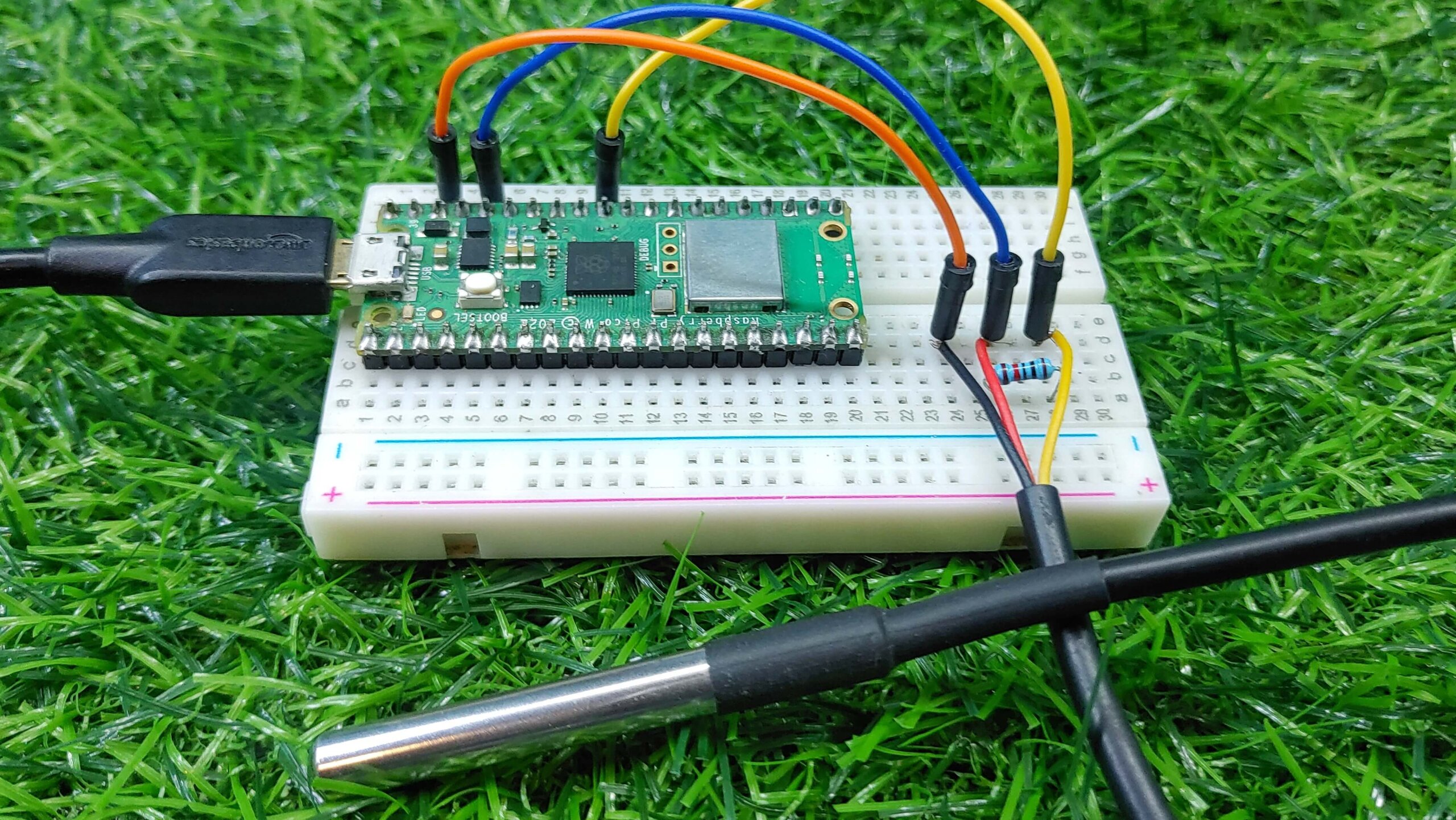 DS18b20 (temperature sensor) connected to a Raspberry Pi
Python programming language is the go-to programming language in developing raspberry pi projects. It has abundant libraries, community support, and ease of integration with the Raspberry Pi hardware that makes it an excellent choice for your projects, where interacting with sensors, actuators, and other peripherals is common.
To perform GET and POST requests in Python on a Raspberry Pi, you can use the requests library, which is a simple and elegant HTTP library for Python. Here's some of the few examples of how to use it:
import requests

session1 = requests.session()
try:
    headers = {
        'Authorization': 'Bearer 500fbhajgccfei',  # Include Bearer token in the header
        'Content-Type': 'application/json'  # Specify content type as JSON
    }
    payload = {'variable_name': 'temperature'}
    response = session1.post(
               'https://www.varvault.com/read-variable-viatoken',
               json=payload, timeout = 1)
    response.raise_for_status()  # Raise an exception for HTTP errors
    data = response.json()

    print(data['temperature'])
except Exception as e:
    print("Error:", e)  # Print the error message
finally:
    session1.close()  # Close the session regardless of the outcome
import requests

session1 = requests.session()
try:
    headers = {
        'Authorization': 'Bearer 500fbhajgccfei',  # Include Bearer token in the header
        'Content-Type': 'application/json'  # Specify content type as JSON
    }
    payload = {'variable_name': 'temperature'
               'value': '37.8'} #Update the temperature to 37.8
    response = session1.post(
               'https://www.varvault.com/update-variable',
               headers=headers,json=payload, timeout = 1)
    response.raise_for_status()  # Raise an exception for HTTP errors

except Exception as e:
    print("Error:", e)  # Print the error message
finally:
    session1.close()  # Close the session regardless of the outcome
Copied to Clipboard